


ADR 1000-Point Calculator. Enter UN number. Calculate instantly.
Select the appropriate ADR data record, enter the relevant quantity under ADR 1.1.3.6.3 and calculate multiple dangerous goods positions together. No registration required.
ADR 1000-Point Calculator
Enter a UN number, review the matching ADR record, enter the relevant quantity and calculate multiple positions together.
Calculation overview for packages under ADR 1.1.3.6. Not a transport approval or transport document. Other conditions and continuing obligations require separate assessment.
Add a dangerous goods position
Calculated positions
0 Positions| UN / Stoff | PG / TC | Quantity | Class | Tunnel code | LQ | Factor | Points | Actions | |||
|---|---|---|---|---|---|---|---|---|---|---|---|
| Noch keine Positionen hinzugefügt. | |||||||||||
The calculator does not stop after the calculation.
For the selected ADR data record, the tool displays additional stored information and links the result to suitable marking and labelling products.

Bringing calculation, data record and marking together.
A point total alone does not answer every practical question. That is why the calculation and additional ADR information remain separate, while still being brought together for the same position.
- Class, packing group, transport category, LQ and tunnel code
- Main hazard and subsidiary hazard shown separately
- Marking-relevant special provisions as additional information
- Suitable BOXLAB products directly from the result
Built for fast, practical calculations.
Select the specific ADR data record instead of calculating solely on the basis of the UN number.
Enter individual positions and transparently combine them into one total point value.
Relevant quantities can be entered with up to two decimal places.
Display stored marking-relevant special provisions after the calculation.
Open suitable marking and labelling products directly or add them to the shopping cart.
Generate a print-optimised result overview and save it as a PDF if required.
One UN number may have several ADR variants.
Packing group, transport category and other characteristics may differ within the same UN number. The calculator therefore lets you select the specific data record first and then calculates the position.
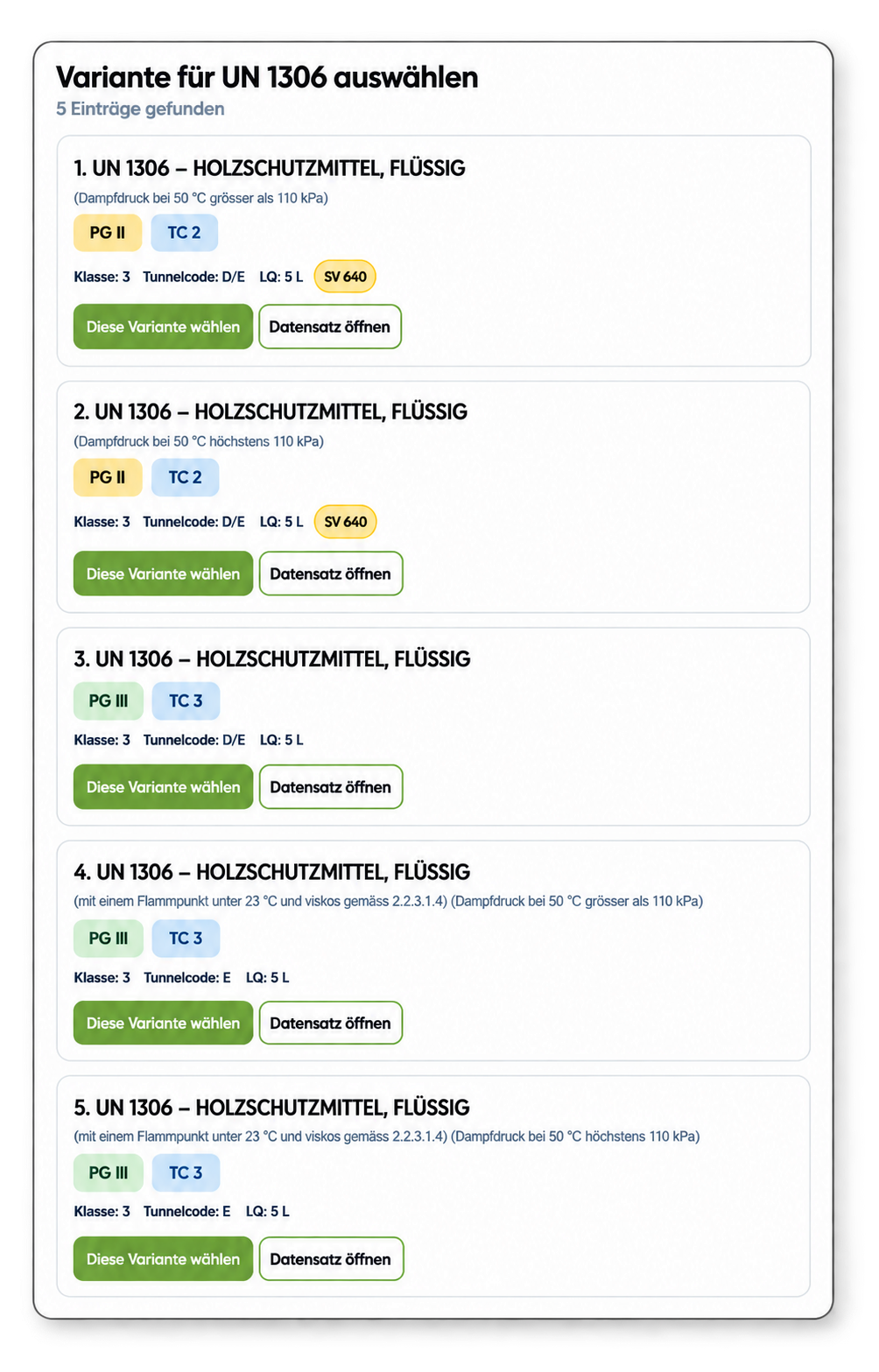
The point total is not the end of the assessment.
Special provisions may contain additional conditions, exemptions or specific marking requirements for individual UN numbers. The calculator therefore displays stored marking-relevant information as a separate additional layer.

Calculate here. Read the rule in detail on our knowledge page.
This landing page is deliberately focused on the calculator and its functions. The fundamentals, transport categories, multiplication factors, the distinction from Limited Quantities and common practical mistakes are explained in more detail on our separate knowledge page about the ADR 1000-point rule.
Quick answers.
Yes. Multiple positions are calculated individually and then combined in one overall result overview.
Why are several variants shown for some UN numbers?A UN number may be assigned to several ADR data records. The calculator therefore lets you select the specific variant before performing the calculation.
Does the calculator also display special provisions?Marking-relevant special provisions from the stored supplementary database can be displayed as separate information after the calculation.
Can I open suitable hazard labels and placards directly?For mapped data records, suitable BOXLAB products are linked directly within the result.
Does the calculator replace a professional assessment of the individual transport case?No. It supports calculation, research and the selection of stored information, but it does not replace a case-specific assessment or dangerous goods consultancy.
Calculated. Informed. Transported.
Placards, hazard labels, orange plates and other marking products are linked wherever they can be clearly assigned within the available data.